
Engagement letter signed: check.
QuickBooks Online invite accepted: check.
Last onboarding step: open the file and see what you've inherited. The balance sheet shows $4,406.40 sitting in Opening Balance Equity and $3,751.47 in Undeposited Funds, and the last bookkeeper didn't leave any notes.
You scoped and quoted a price to this client from a sales call. Well, that's where most of us start, since before the client signs, you usually see a few reports at most, not the whole file. Getting access is usually the last box on an onboarding checklist, but it's really where the bookkeeping begins. Luckily, this guide picks up right there.
Let's start with the admin half, briefly
You need these in hand before you look at the books:
- A signed engagement letter that prices monthly work and any catch-up or cleanup as separate line items. You won't know which one you need until you've opened the file.
- Accountant access to QBO. Ask the client to use Invite firm on the Manage users page, not Add user. Accountant users don't count toward the client's user limit, and a standard user can't set a closing date.
- Read-only access to bank and card portals, the payroll provider, payment processors like Stripe or Square, and spend tools like Ramp or Brex.
- Documents: the last filed tax return, prior-year financial statements, and bank, card and loan statements going back to the last reconciled month.
Welcome emails, questionnaires and kickoff agendas matter too, and plenty of templates exist for them. The rest of this checklist covers the part those templates skip.
Coming to the books half: seven things to learn when you onboard the file
1. Confirm the basics of the file
Note the entity type, cash or accrual basis, and fiscal year-end, then check that the QuickBooks settings match the last filed return. A client who files on accrual but keeps cash-basis books needs that sorted before anything else.
2. Get the hand-off from the last bookkeeper
Ask for open items, the coding rules they used, the last reconciled month for each account, and any closing date they set. Ten minutes on a call now saves a month of guessing later.
3. Find out where the history stops being reliable
For each bank, card and loan account, compare the balance at the last reconciled month to the statement. If the last return includes a balance sheet (Schedule L on most corporate and partnership returns), compare equity to it. If prior-year numbers changed after the return was filed, someone edited a closed period. That date is where your work begins.
4. See what's parked in the holding accounts, and since when
Look at Opening Balance Equity, Undeposited Funds, Uncategorized Income and Expense, and Ask My Accountant. A large Opening Balance Equity balance usually means setup entries nobody cleared. A large Undeposited Funds balance often means deposits were recorded twice. A balance that built up last month is catch-up; one that goes back years is cleanup.
5. Look for stale items in the AR and AP agings
Invoices from last year, unapplied customer payments and unapplied vendor credits tell you how the last bookkeeper handled receipts and bill payments, and how much unwinding is ahead.
6. Map the client's obligations
Write down the payroll provider, every state the client collects sales tax in, any loans, and every contractor who needs a 1099. Collect W-9s now. The 1099-NEC threshold rose from $600 to $2,000 for payments made in 2026, so check the vendor setup against the new number before January.
7. List the connected apps and existing bank rules
Note which bank feeds, payment processors and spend tools feed the file, and which rules the client or last bookkeeper set up. Rules that miscode every month are easier to fix now than after a close. Start a short client rules document here: it's what keeps month three consistent with month one.
Sort the client before you start
Each check points the client to one of three paths:
| Path | What you found | What to do next |
|---|---|---|
| Ready for monthly | Balances tie, reconciliations current through last month, holding accounts near zero | Set a closing date at the last reconciled month and start the close |
| Needs catch-up | The books are right but months behind | Quote catch-up as its own line, then reconcile oldest month first |
| Needs cleanup | Balances don't tie, large holding accounts, edited prior periods | Scope and price a cleanup before monthly work starts |
For the third path, scope and price the cleanup as its own project before monthly work starts, from what's actually in the file rather than the sales call. Once the books are current, the month-end review checklist becomes your sign-off for every close after.
Doing this for every new client
Running these checks for one client takes an afternoon of pulling reports and reading them account by account. When you sign three clients in a month, that's three afternoons of unbilled review just to find out which path each client is on, whether that's monthly, catch-up or cleanup.
This is the work Aqqrue is built for. It stays in sync with the client's QuickBooks Online file and can import 3+ years of history. Here's what it does with a new client, shown on the QuickBooks sample company, Craig's Design and Landscaping.
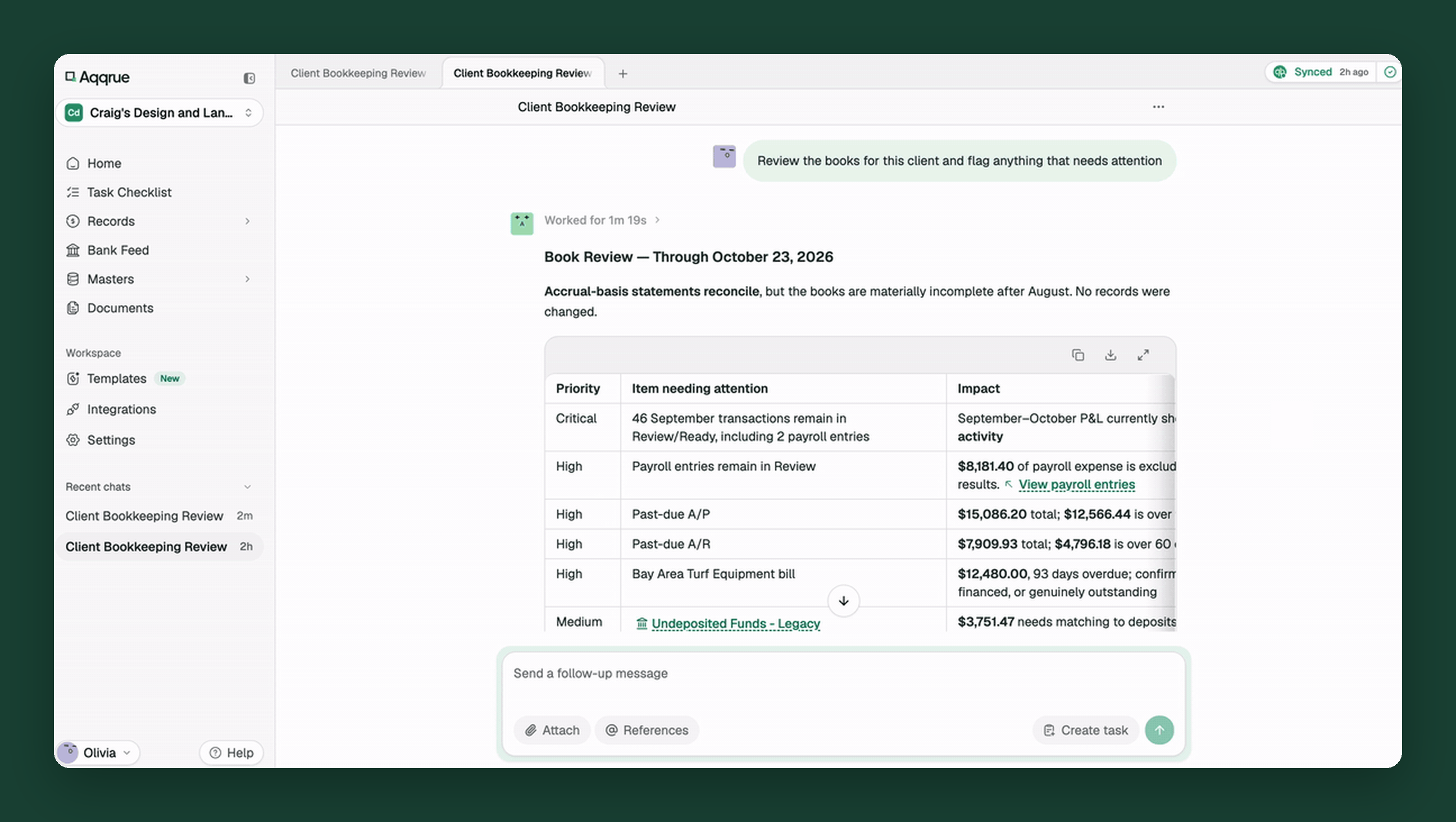
Ask it to review the books. Aqqrue comes back with a book review: issues ranked by priority, the impact of each, and a recommended order to work through them. No records are changed. On the sample company, it surfaced the same things checks 4 and 5 look for:
- $4,406.40 in Opening Balance Equity that should be cleared
- $3,751.47 in Undeposited Funds waiting to be matched
- $15,086.20 in past-due bills and $7,909.93 in past-due invoices
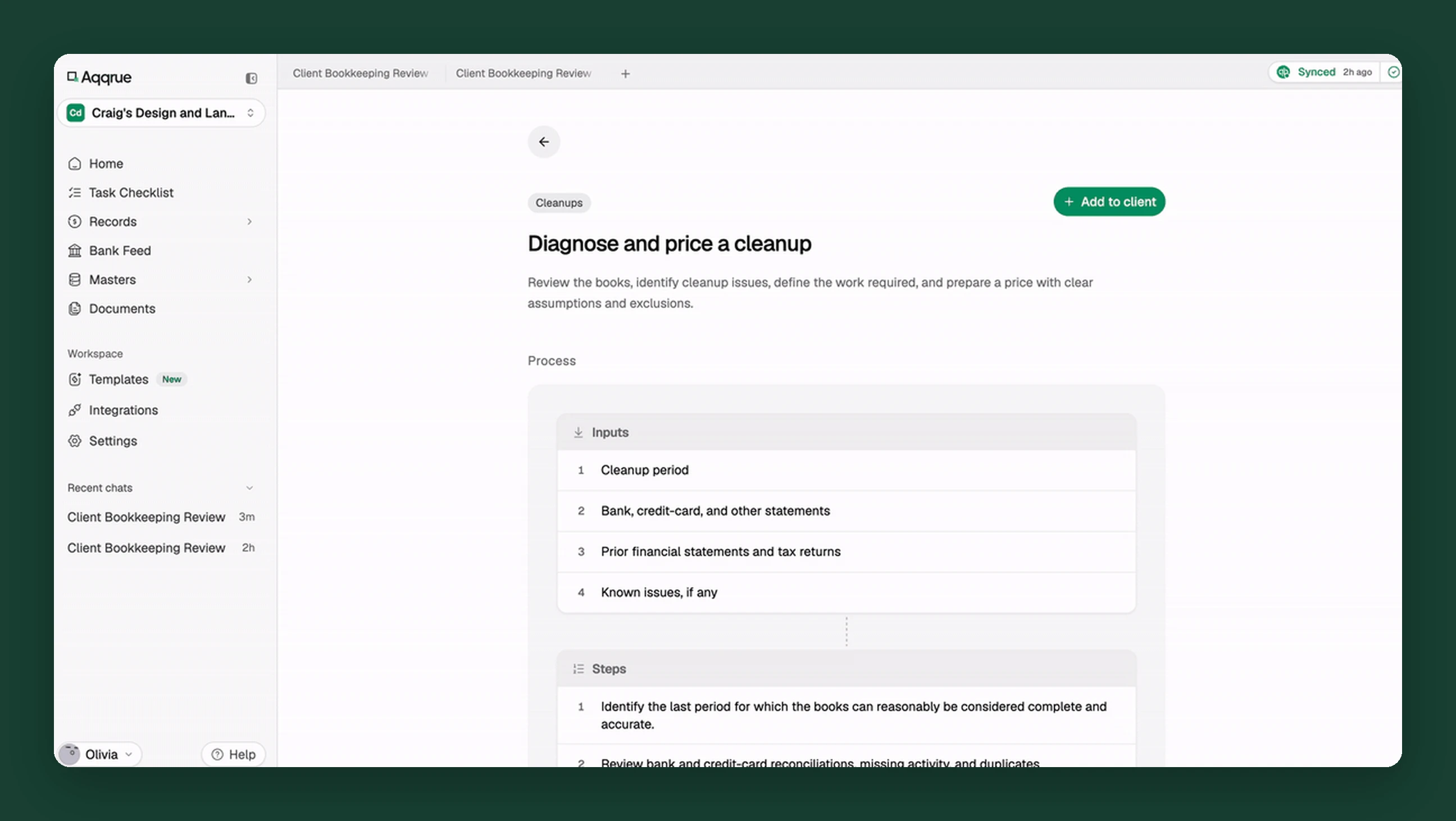
If the file needs catch-up or cleanup, run the diagnostic. The "Diagnose and price a cleanup" template reviews the books, identifies cleanup issues, defines the work required and prepares a price with clear assumptions and exclusions. It also lists the missing information and the questions to send the client before you quote.
Get a proposal you can send. For the sample company, the diagnostic priced the cleanup at $9,150, plus up to $1,830 in contingency that needs the client's written approval. It set the timeline at four weeks after complete records, with a provisional reliable cutoff of August 31, 2026: the date to set as your closing date once the cleanup is done. No cleanup entries were made.
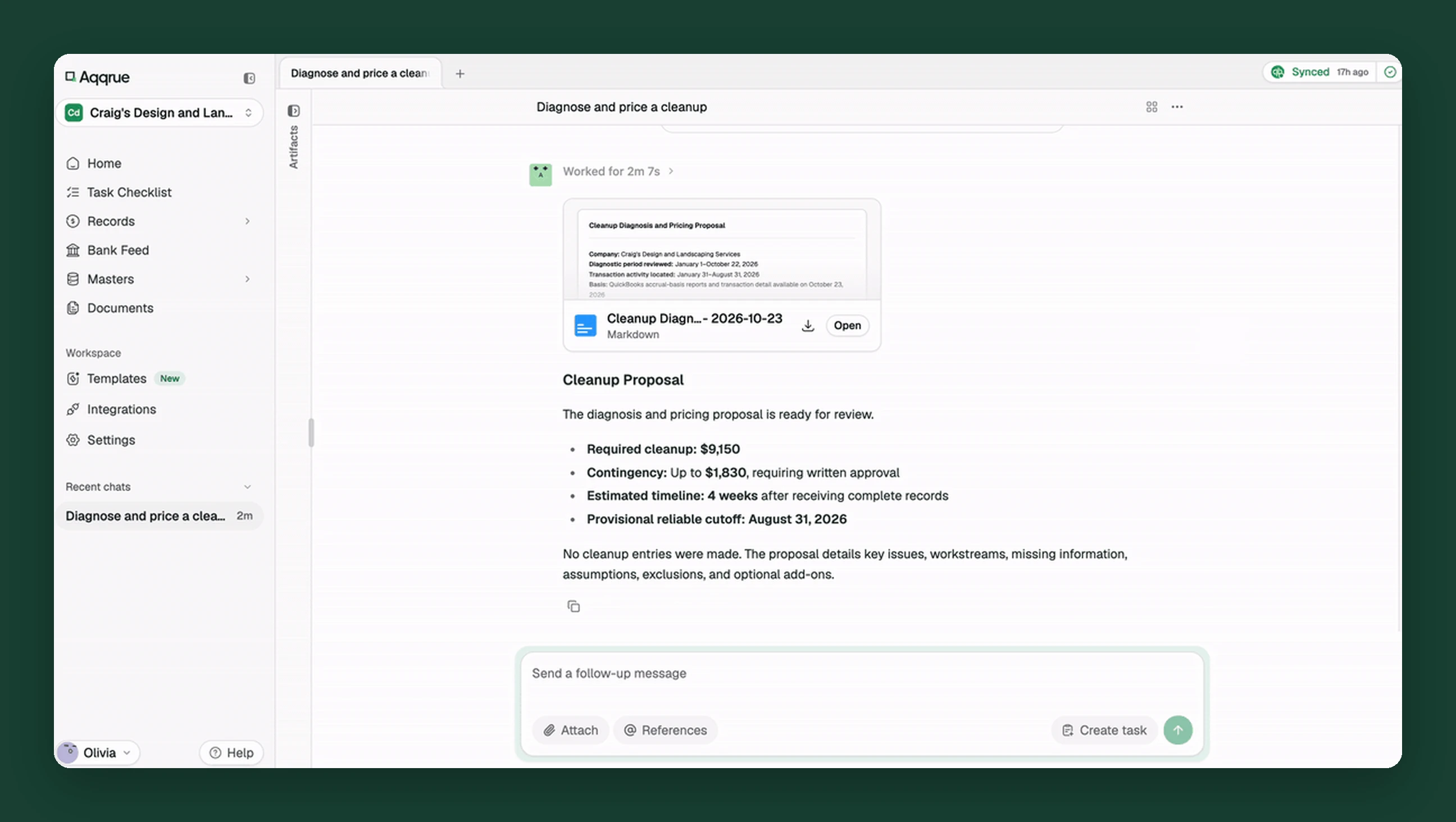
Nothing posts to QBO until you've reviewed it. You still make every call on the client's books. You just stop doing the first pass by hand.
Signing a new client this month? Book a demo and run the first-file review on their books.